Hi, 40yoPirate. I’m glad you’re making progress. Once you get it all sorted out, it won’t be too hard to do.
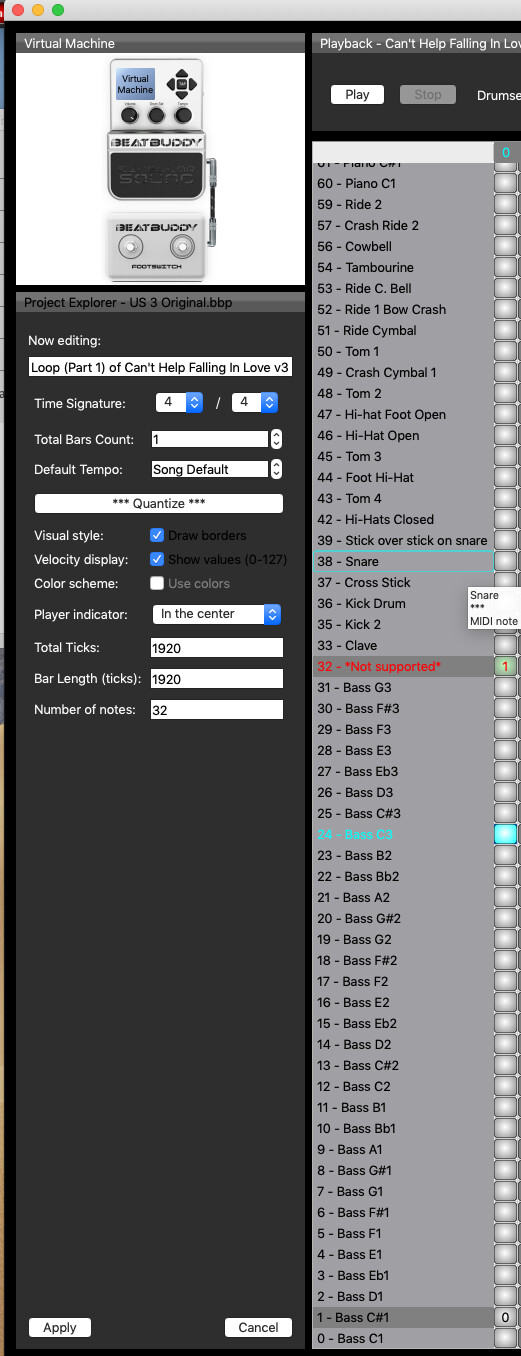
The answer is: “it depends” on the kit you’re using. A simple way to find out is to use the pdf that accompanies the download for Phil_Flood’s custom drum sets and it explains the MIDI range of the bass, drums and keys (or other instruments). Another way to find out is to open the BeatBuddy Manager (BBM) MIDI Editor and examine the MIDI ranges for the various instruments.
Because I now almost exclusively use Phil_Flood’s kits, the MIDI range of the bass in my songs is always 0-31 (below the drums, 33-59) and the keys and horns usually are located above the drum in the MIDI range 60-127.
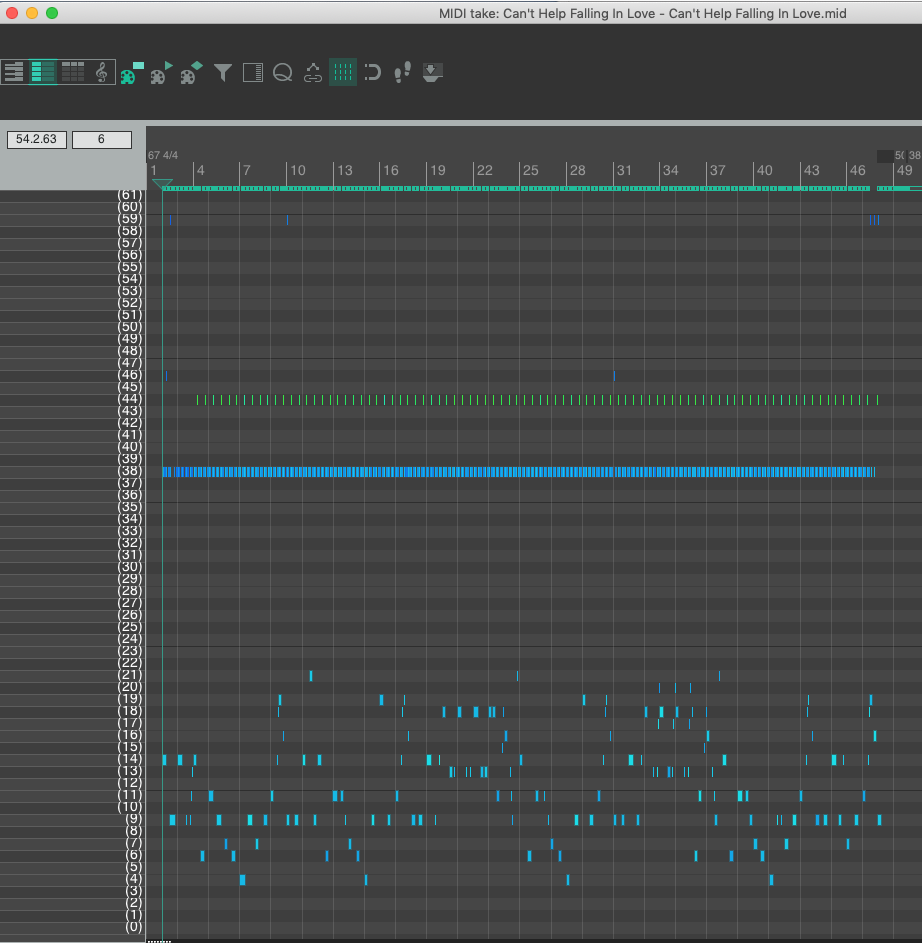
Here’s a hopefully simple example using Can’t Help Falling in Love and the Bosendorfer Jazz Trio 60+C1 kit; I’m including screen shots to help illustrate my points:
Zipped MIDI export file for bass, drums and piano of Can’t Help Falling in Love
Can’t Help Falling In Love.mid.zip (5.2 KB)
MIDI Editor screen display of the bass and drums:
Reaper MIDI editing screen display for the bass and drums MIDI range
Reaper MIDI editing screen display for the piano MIDI range
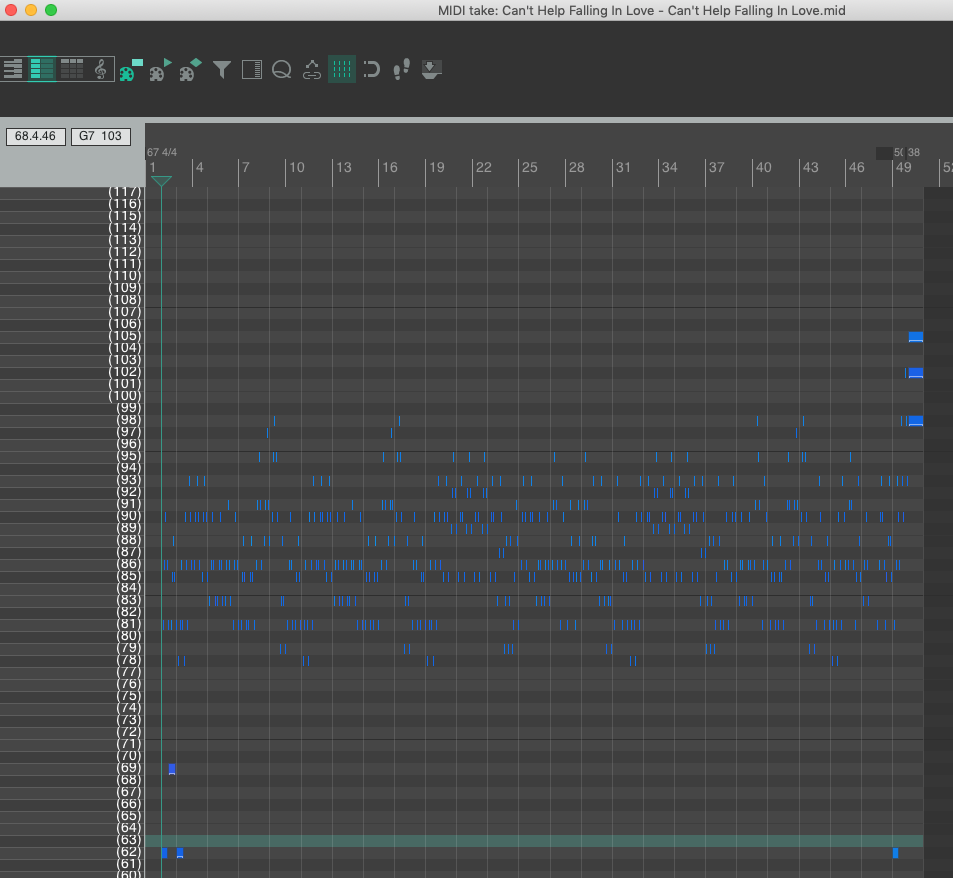
The key takeway that I mentioned in my transposing bass tutorial: be careful when transposing notes that you don’t go outside the MIDI range for that instrument. If you wanted to lower the bass by say, 5 semitones (transpose -5), make sure to raise the bass notes at MIDI ID position 4 by one octave before you try to select all of the MIDI bass notes (in this case, 4-21) and then transpose -5). The same goes for transposing the piano notes -5 — select just the piano MIDI notes in row 62 and transpose +12; then you can safely select all of the piano notes and transpose -5.
Hope this makes sense and that I haven’t further muddied the waters for 'ya!