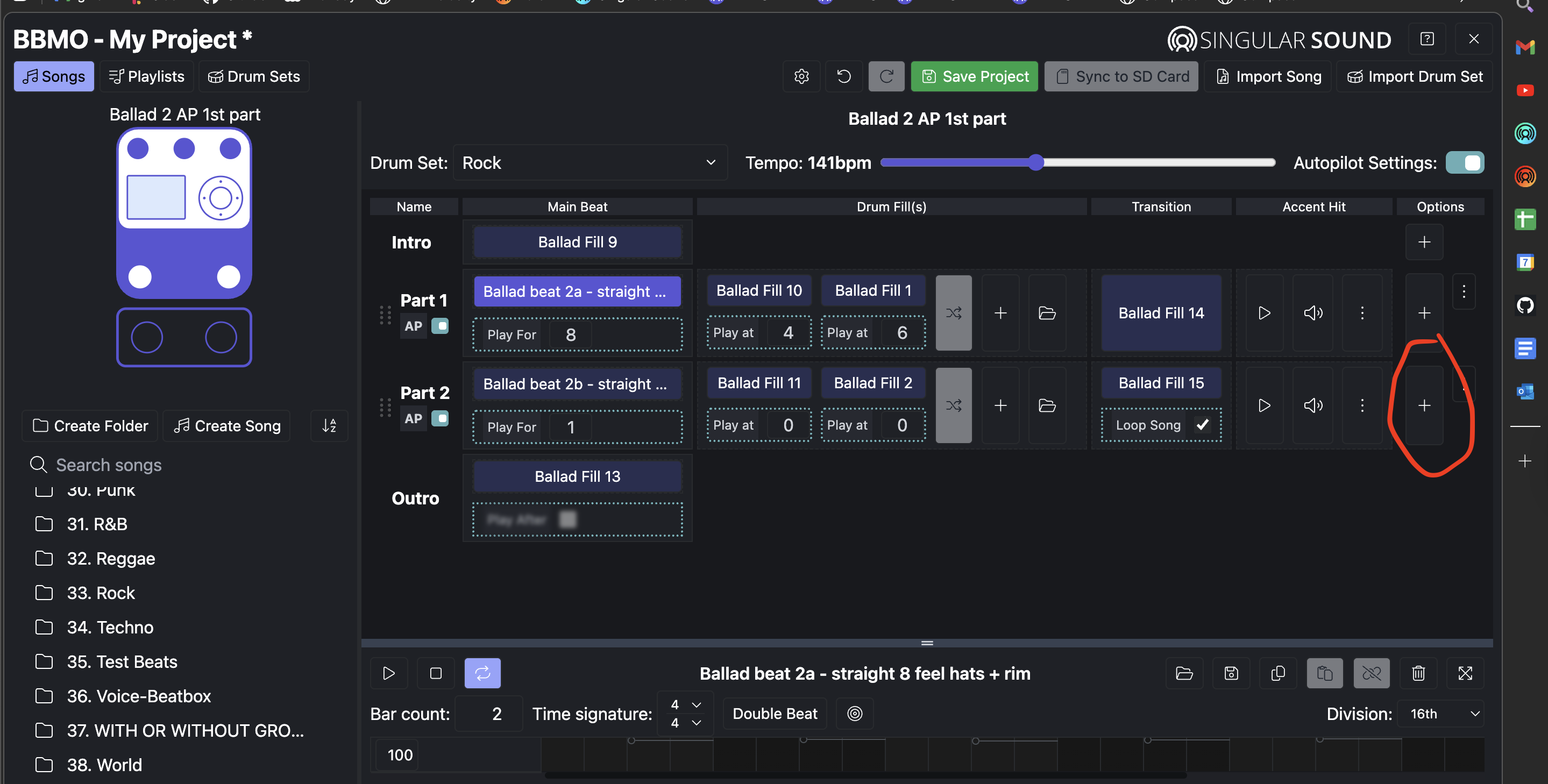
I guess I am just not getting the BBMO. In the old app you could either right click on the new part to create your own beats, or hit the plus sign and add Country Beat 9 or Blues Beat 1 etc, whatever you want. I cant seem to figure out how to do that in BBMO.
No I am saying if I create a new song, and I want to use the Country Beat 9, when I click on Part 1 I only see where I create my own beat but do not see how to insert Country Beat 9? From here how do I insert a default BB rhythm? In the app I could either right click and edit or create my own beat or press the + sign and use one of your default drum patterns.
I tried to insert a screen shot here but would not let me do that.
I should probably expand a bit further. Initially I created folders and then my set lists from there, then I got smart and instead or creating in the folders area I created Playlists for my set lists which I suppose that is the thing to do. However when I did that I must have deleted the default folders and now only have a folder (under songs) that says Active Set List and it has all 125 of my songs in it.
I am trying to get back to where I see the default listing under songs that has all the default preset beats that initially came with the software. I am afraid to default the whole program as I am in the middle of a busy gig month and dont want to lose everything I have done. And yes I have backed it up several times. I think I would like to again back up what I have, wipe the program out and start over. Is there a downside to that?
Close your BBMO project (by clicking on the X to the right of SINGULAR SOUND in the upper right corner) C
Click on the BBMO Open Project button; navigate to and select the unzipped default content folder and press Open.
Click on the BBMO Import Song; navigate to and select your Active Set List folder on your desktop and press Open.
Save your project.
If you have any Boutique Beats or drum sets, you can import them into the BBMO as well.
Save your project again.
You should now have the default content with your Active Set List folder as a new project. Verify that the you have all the content you need and try playing it on the BBMO. If it does, now you can sync it with your SD card.
I would just add a couple things I didnt know, you have to import songs one by one not by the batch.
Also where we could just click and add a default rhythm like Country 8 or similar now you have to export the rhythm you want to use as a midi then import it in to your song, you cant just add it like you could in the app. There is probably something that says this somewhere but I couldn’t find it.
Not sure that’s entirely correct as I have always been able to batch import songs and drum sets in the BBM and the BBMO. I just tested it and I was able to select and import 10 songs at once. The one thing I don’t care for is the BBMO prompts me to approve overwriting existing songs and I have to press "Cancel.’ I would also suggest not batch importing more than 3 drum sets at a time as it might choke (or time out) during the process—probably due to the size of the kits.
Not sure I understand what you are saying here. I select a beat and then duplicate it and move the duplicate to my work or Gig List folder. Once the duplicate beat is in my work or Gig List folder, I can rename it, change the tempo and move parts around.
If I’m failing to understand what you are trying to convey, perhaps a short video clip of your issue would help. To post it in reply, zip it and attach it in your reply.