I don’t understand why BBOM won’t “see” my bbp file? I saw somewhere that it needed to be in a folder…I put it in one, still won’t recognize. What am I doing wrong ?
Reason it isn’t working is because you have to select the project folder—not the file.
I guess the is not a project folder on my sd card? And this is different from a “generic” project folder?
How do I create a project folder?
Thank you!
If you’re on a Mac, select your SD card and press CMD-D and it should duplicate your project folder on your Desktop.
If you’re using Windows, create a folder on your computer and give it a name, either in your Documents folder or on your Desktop. Open your SD card, press ctrl-A to select all of the contents of your SD card; press ctrl-C to copy them all and then ctrl-V to paste them into your newly created folder.
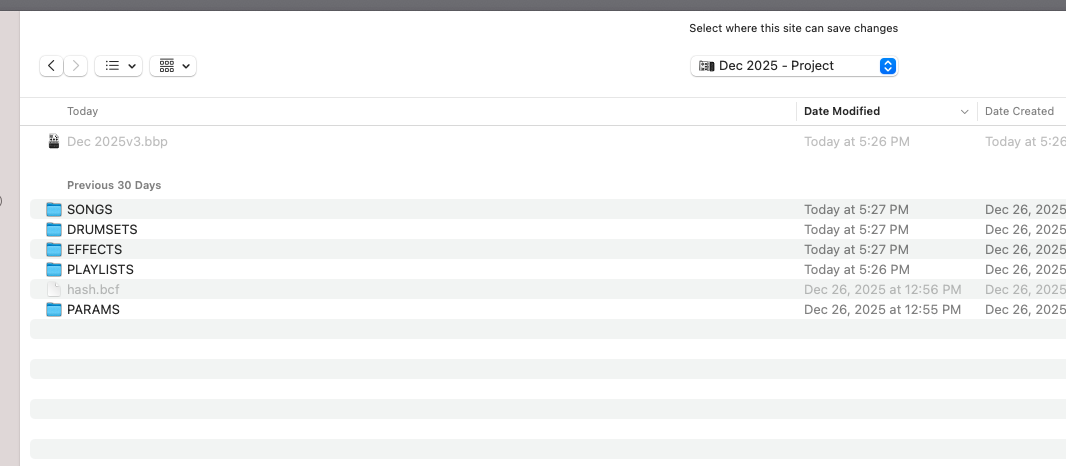
I don’t understand. I have a project folder on my SD card, and still won’t recognize the file. And now - I tried to copy the project folder from my hard drive to the SD and now BB2 says my SD card is empty??
Please contact support@singularsound.com for help.