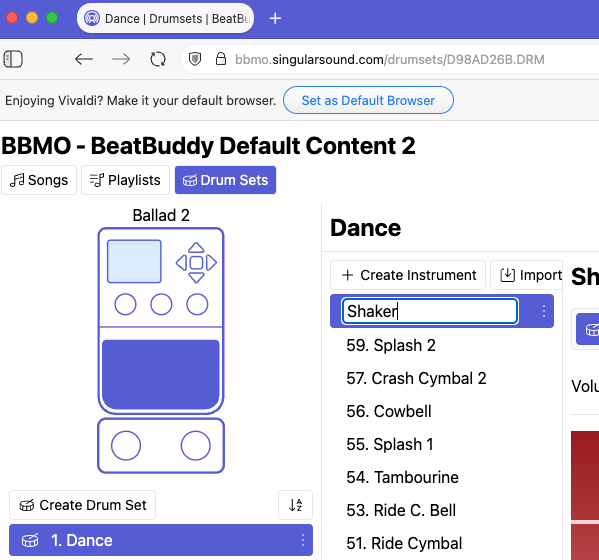
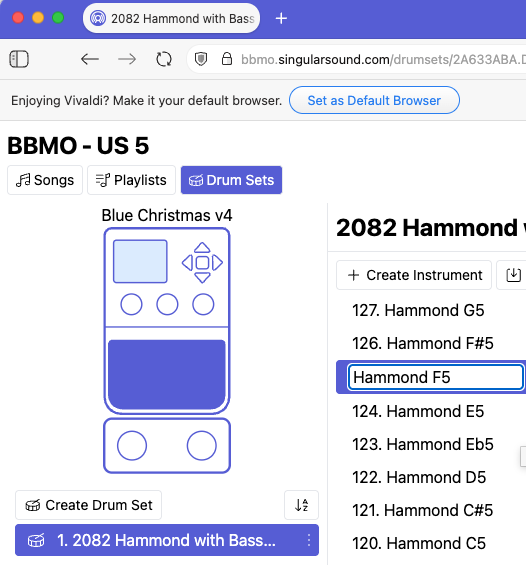
I’m using macOS Tahoe along with Vivaldi and I am unable to use the sharp/pound (#) character in the name of a song, folder or drum set note. However, I am able to use the &, *, (, ), _, and + characters.
I can use the # character in the name of any drum set (as well as any other shift-characters above the keyboard numbers but only for drum sets.
Here’s a couple of examples, try to insert a sharp (#) after the word Shaker in the attached screenshot. (Dance drum set or any other Default Content 2.1 drum set).
Could you post a video showing what you do to get it to work? It might be most enlightening to the rest of us. The issue occurs in the naming of drum kit pieces. When I want to label a piece with a # in the name, the # is not accepted. I am using a standard Mac wireless keyboard, but the issue is the same with a generic usb keyboard. Example - at midi location 2 I want to enter “Bass F#1.” Bass and F are keyed and appear just as they should, but when I key Shift 3 for the # nothing gets entered. As has been noted, one can copy and paste a # from an already existing location in a kit, as might appear when a kit was imported from something made in BBM, but a # cannot be entered in BBMO. This has serious workflow consequences, as 1) I must reprocess my thoughts to convert every tag that should have a # to its enharmonic flat, and 2) if I work through without looking at the screen assuming that whatever I type is being accepted, I end up with multiple midi note locations having the same label, i.e. 2 spots with Bass F1 instead of one each with Bass F1 and Bass F#1.
Have no idea if this would work, but occasionally I need to insert symbols into documents that are not readily available on a keyboard (ASCII or Unicode Latin based symbols). To do this the ‘ALT’ key is pressed + a number on the keyboard number pad. The pound sign is represented by ALT + 35.
If this works it may be a temporary work around until SS can fix it.
Thanks for the effort, Mark. On a Mac keyboard, the Alt Key is replaced by the Option key. Holding option and typing 35 results in 35 getting entered. I also tried the Option 0181, which gets 0181.
But, I really do appreciate you offering a possible solution.
A Mac evidently requires some added trickery to type Unicode characters. May not work for BBMO, but may be useful to spice up documents with characters not present on a keyboard.
One I use occasionally for resistor values is the Omega symbol Ω (ALT 234)
The is no Unicode option listed under keyboard, but the emoji thing worked! I open up the emojis panel (Control+Command+Space) entered a # as my search and it gave me the choice of two sharps to enter. I picked one, entered it, and was able to save the kit. Much better work around than copying and pasting.