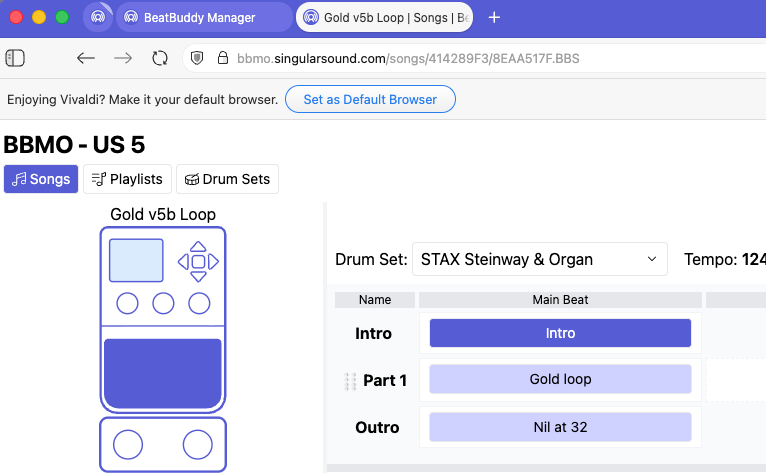
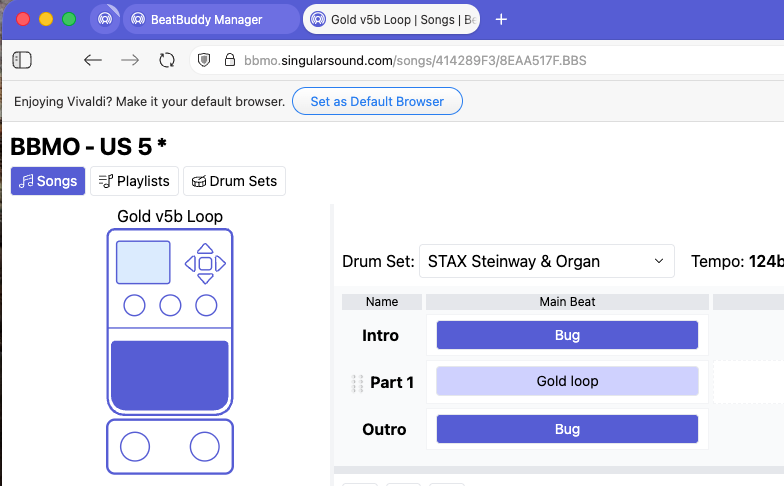
If I use the BBMO to copy the Outro to the Intro, both parts are now highlighted. If I change the name within the BBMO of either part, say the Outro, now the Intro also has that name.
This is likely not a bug, this is because the files are linked, linked files have all changes mirrored until they are unlinked. If you follow the same steps, are you able to unlink the files afterward?
Thanks, Brennan. The parts are linked and that appears to be the issue. As I read pp 46 and 60 of the BBMO User Manual, the linking of song parts appears to apply primarily to Drum Fills and Transitions but not necessarily to Intros and Outros, which are the song parts that I copied and pasted.
Is there a way to unlink the Intro or Outro within the MIDI Editor before the copy and paste operation? If not, now that I understand what happened, I can work around it so it’s no big deal.
I think this is just the behavior of pasting any MIDI file from one place to another, any pasted midi file is considered linked, no matter where from.
We could potentially make a Paste Unlinked dropdown function for the paste feature and if there’s space add it to the MIDI editor’s toolbox ribbon (for individual files). Otherwise, the linked file will need to be manually unlinked each time it is pasted.