Is it possible to zoom in on the track editor, to be able to see more bars at a time?
I often want to cut and paste, but only being able to see a couple of bars at a time is a pain.
Also it would be useful to click and drag off the window to make it scroll, so I could copy more bars at a time. I thought it did this for me once, but never again!
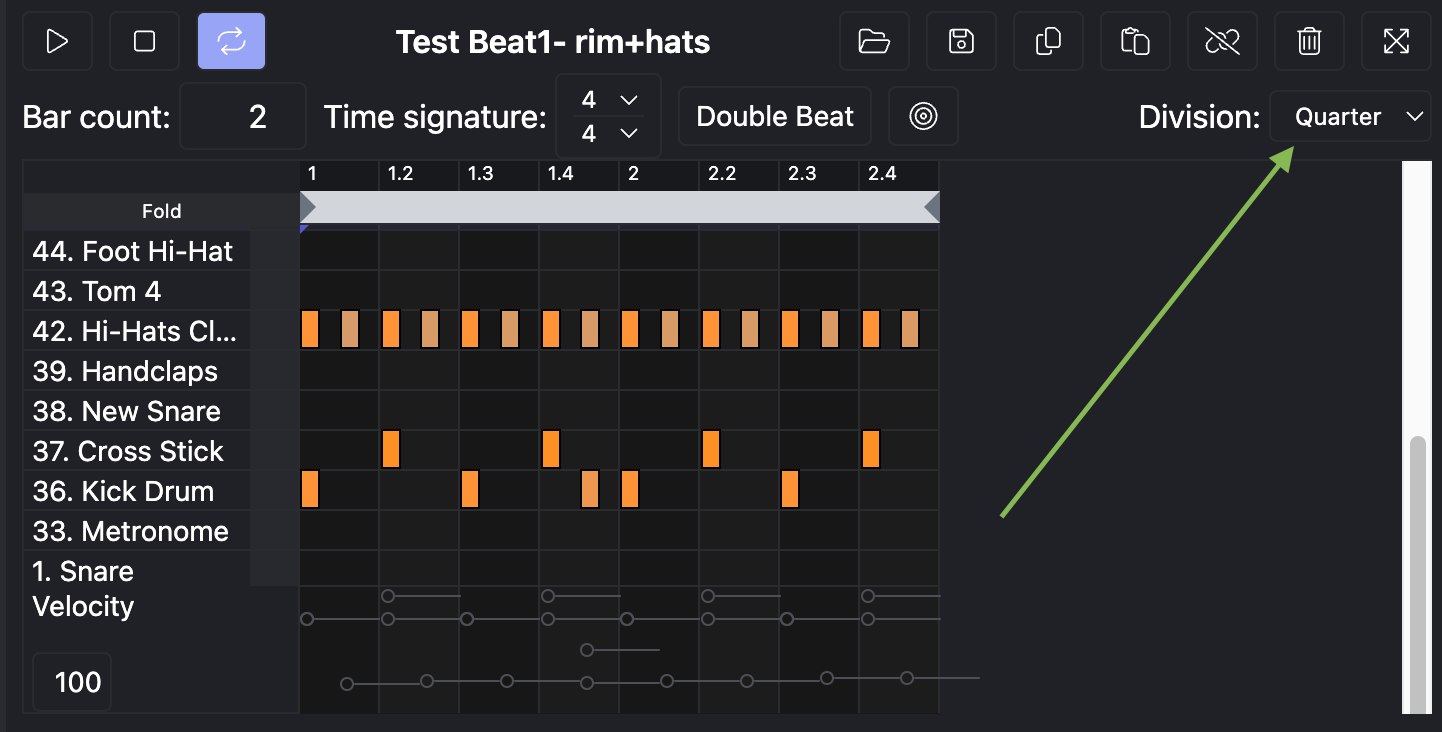
Thanks Daniel. That’s useful.
I wasn’t sure if altering the division actually affected the beats in the track, but it seems it doesn’t.
Thanks.
Hi Daniel,
I’m trying to edit a song part that’s 16 bars long, when I try to edit bar #9 I can stop it in place by pressing the stop button but when I hit play to check my edit it starts over at bar 1. I tried disabling the loop button (illustrated in the upper left corner of the screenshot you posted) but that didn’t seem to help.
Thanks in advance,
Don
Hi don1,
If you hold your cursor over the bar numbers bar above the instruments, it will turn into a little speaker. If you click it over bar 9 while it looks like a speaker, it will play from that point. Hope that works for you.
Chris
Super helpful Chris, thank you!
Is there a way to back the cursor up a few beats manually?
A couple of different ways:
- Hover your cursor over the display window and move to the left or the right.
- Use the horizontal scroll bar at the bottom of the editing window
Either way, you can then position the horizontal blue play head by clicking in the window where needed.
When I change the divisions it adds more thin orange lines in the window making smaller divisions between the downbeats, but it doesn’t make more bars visible within the window. The other guy said he had the same problem. With a 16 bar pattern it would be helpful to be able to zoom in and out while editing notes, is there a way to do this?
Also is this covered anywhere in a video or manual? I didn’t see it in the BBMO manual but maybe I overlooked it. Thanks for all the help and support, much appreciated!
You can change the division in the MIDI editor, and you can also adjust the zoom level within your browser to see more or less of the pattern while editing.
If you would like to see this feature implemented, please post a feature request under the appropriate category. Our development team requested that all requests be posted there so other customers can see them and upvote as well. Thank you!