Handling this app is not the easiest thing in the world I had created a page 2 it says it’s updated successfully. I’ve sent that information to the Midi maestro. It only takes 30 seconds to finish the transfer. The app seems so quirky There’s no way for me to know if page 2 was successfully transferred or it’s only sending page 1. There is no information I can get from the MIDI Maestro unit showing me there’s a page two in my custom mode. I would’ve thought Singular Sound would’ve put a two button hard press setting in the unit to advance the pages, but it doesn’t seem like that’s a thing.
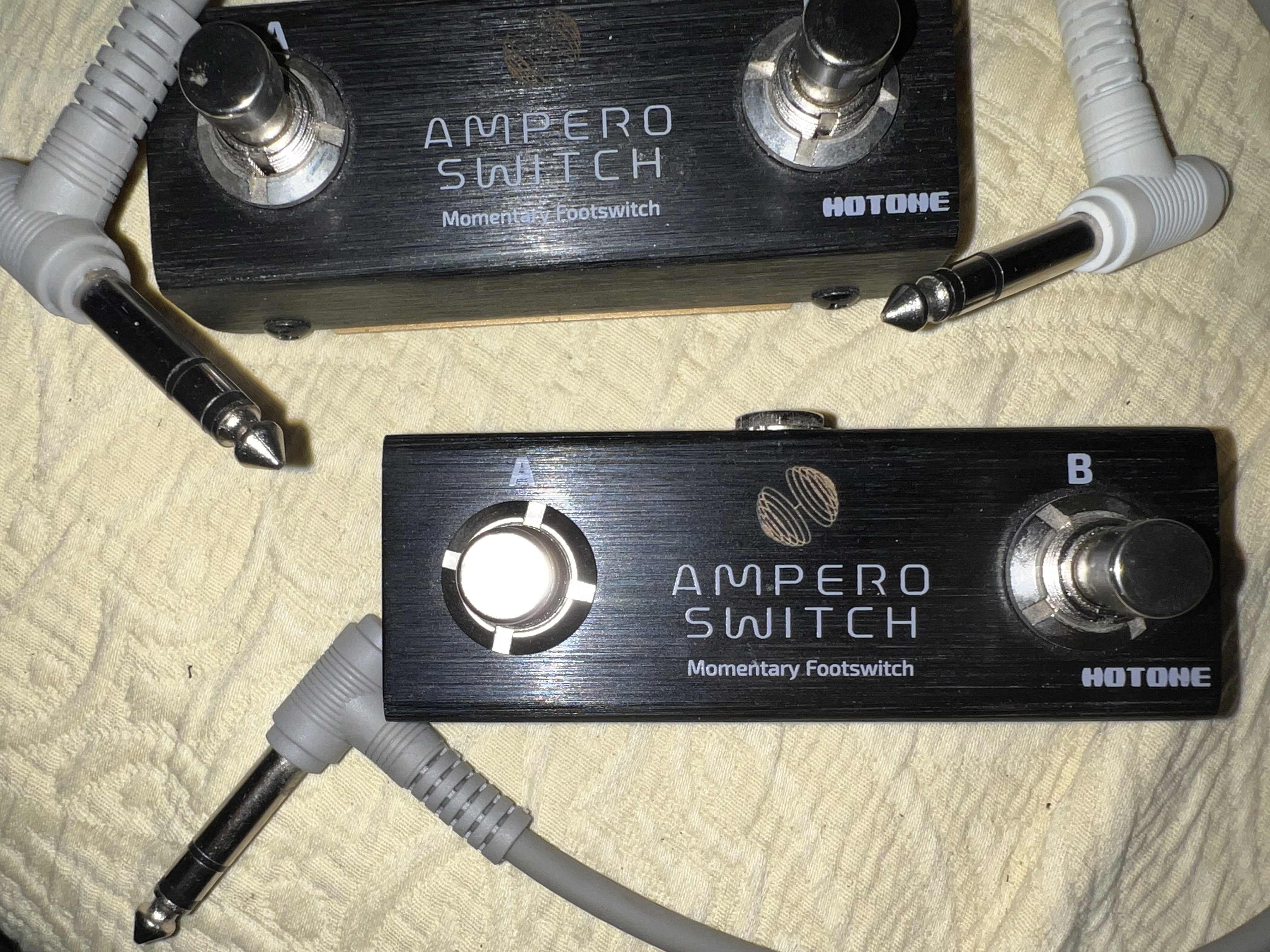
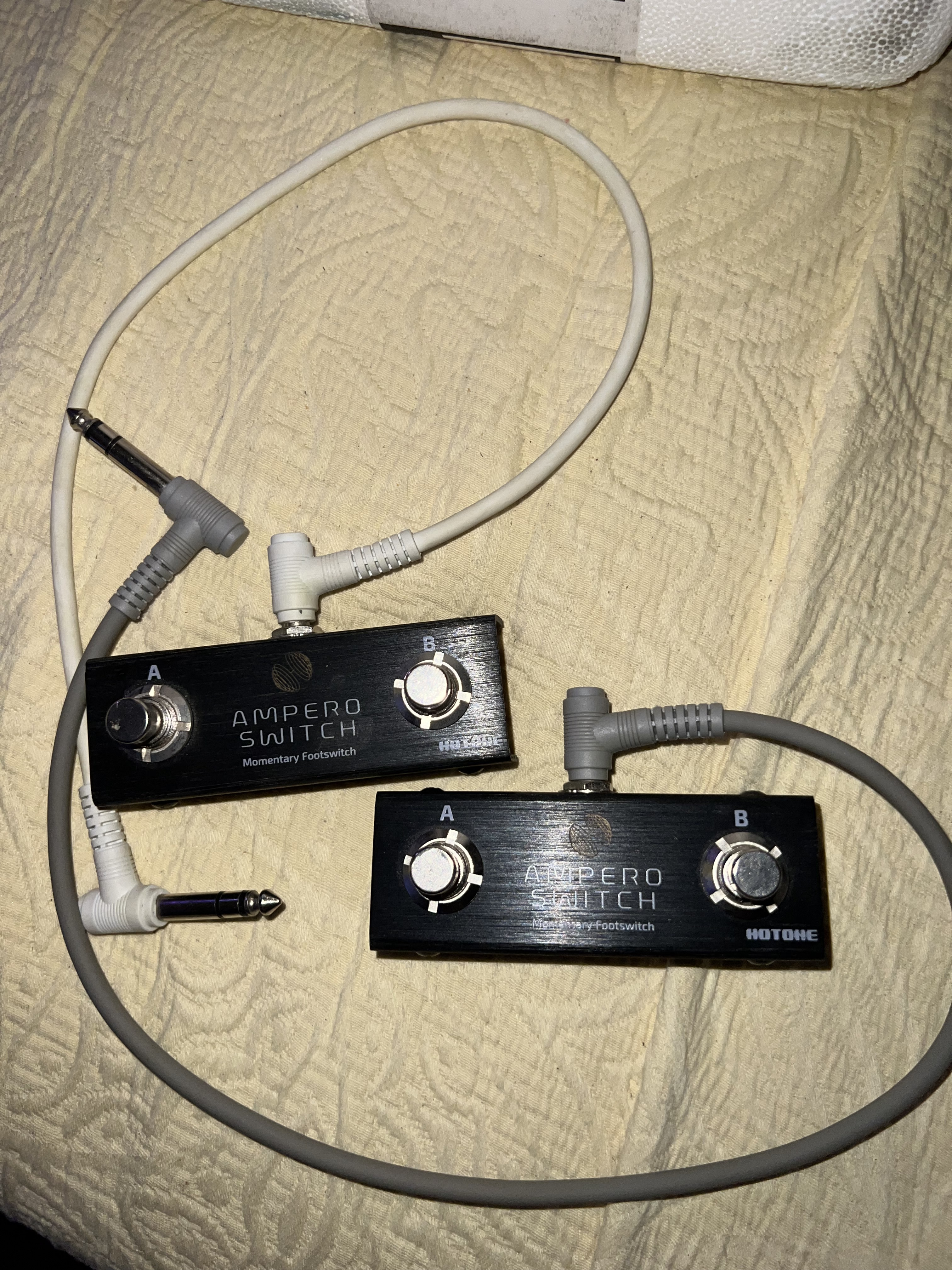
I am having a hard time trying to switch custom mode pages using a switcher. Simply plugging in a switcher pedal using a TRS cable into the Extension port isn’t working. I’ve tried using the AMPERO momentary switch. That’s not working. I’ve tried the Singular Sound super switch. None of those buttons execute a page change. Does anyone know what I’m doing wrong? I’m just wanting to be able to change from one page to the next from my custom mode pages.
Interesting issue. Are you using a single button or a two-button Ampero switch? Maestro depends on a dual button switch and as you’ve also found out, the Super Switch was not designed to be used with the Maestro.
Since the Maestro is supposed to change pages using a dual momentary switch using a TRS cable, this might be pointing to a problem with your switch. If you have a BeatBuddy (BB) pedal you can test it using the Footswitch Detector function.
Another thought is that you could use the Maestro Redirect command assigned to one of the six Maestro buttons.
Any way, if you continue to have problems, reach out to Support, support@singularsound.com. They will suggest that you have the latest firmware installed on your Maestro.
Let us know what it takes to get you working again.
Been working on it for three days. Tried everything. I thought the worst was over after the iPhone 26 debacle.
The Redirect option on each button on the app is always grayed out. I can’t click on it. I even tried to start a third page just to see if there was a way for me to get the redirect active and I couldn’t. I have two switches and multiple TRS cables. Page 1 works in Custom mode. This is the first time I’m trying to use a switcher pedal on this because this is the first time I’m trying to use a second page. I have two switcher pedals . Both switcher pedals aren’t broken.
I won’t be back home until later Sunday afternoon and I won’t be able to validate what you are reporting until then. Hopefully Support will reach out to you on Sunday morning via this thread.
Only thing I can think to try and which you’ve probably already done is to reinstall the Maestro firmware and Default Modes. You could also try to reinstall the Maestro app.
Ugg… just the mention of firmware updating this device brings back my PTSD…
No, I didn’t 
You might be better off waiting for Daniel’s reply then. Don’t want to add to your trauma!
Now that the device is updated to the latest firmware, can I reinstall the firmware updates straight from the app with an I.Pad? I wasn’t about to give it a shot without some kind of confirmation.
Give it a go.
Firmware updates work with the IPad.
Unfortunately, it didn’t fix anything.
I just tested on my Maestro pedal using iOS 27 developer beta 7 with my iPhone. My remote foot switch changes the pages in Custom Aeros Mode. It also worked with my iPad running iPadOS 26.x
Please follow these steps and in this order to try and identify (and possibly eliminate) the source of the issue.
- Plug your Ampero Switch into a BeatBuddy (BB) pedal using the TRS cable and power it on (DO NOT USE THE AMPERO SWITCH +). Run the foot switch detector function for both buttons. If both buttons work, you have eliminated the Ampero as a possible cause. Do not reconnect it to your Maestro just yet.
- Confirm that your Maestro displays firmware 1.1.11. If it’s not, 1.1.11, please update the pedal firmware.
- Use your iPhone to update the Default Modes on your Maestro. Do not update the default modes using your user-created modes from your iPad.
- Plug your Ampero in to the Maestro Extension Pedal port.
- Press the MODE button on the back of your Maestro.
- Click the Custom Mode button on your Maestro.
- Select the Aeros Mode.
- Use the Ampero buttons to switch pages. It should be obvious whether or not the pages are changing as the Maestro page displays are different for each of the six Aeros Custom Mode default pages. If this works, we’ve eliminated the Ampero, the Maestro and the Maestro app.
- On your iPhone Maestro app, go to p7 of your Aeros Custom Mode. It should be blank. For the top button:
- Click the button and Enter Page 7 on the Top Line and Enter Test on the Bottom Line. Press the Save button. Click < Aeros in the upper left
- Advance to p8 of your Aerso Custom Mode and it should be blank. For the top button:
- Click the button and Enter Page 8 on the Top Line and Enter Test 2 on the Bottom Line. Press the Save button.
- Click on the Hamburger icon. Now select Update Default Modes.
- When Finished, press the MODE button on the back of your Maestro.
- Click the Custom Mode button on your Maestro.
- Select the Aeros Mode.
- Use the Ampero to advance the pages and check that pp7-8 display the text you entered. If this works, you should be in business as you’ve eliminated the hardware, software and workflow.
- The last item to check is the Redirect function. In the app, advance to p8 (Page 8, Test 2). The Redirect line should display None. Drag the None button up and you should see numbers 1-10.
Hopefully this will help but if not, you’ll probably need help from Support, support@singularsound.com.
Thank you persist, for your help as always! 
@Dakota I see that you reached out and sent an email to support@singularsound.com. We’ll assist you further there with resolving the issue. Thank you!
Maybe stupid to ask
But do you put your Ampero switches to the right input on MM ?
I mean into EXT and Not EXP ?
Thank you Persist. Daniel reached out to me. Thank you, Daniel. You are awesome.
It is definitely not the pedal. I even learned there are more pages within the beat buddy and the Aeros mode. I still have a longer road trying to figure out this redirect feature. I am not nearly any closer to an aha moment.There is six pedals to a page, six redirects to each page. 10 pages. It is way complex than a simple page up page down. I feel like once I get this, I may grow a third leg. I’ll send pics.
You may be an Octopus . Do you breathe underwater
Extension…… every inch counts