You can use CTRL Z to undelete things as long as you have not quit and re-launched the BeatBuddy Manager (BBM)
or
Select the folder, go to main menu Songs - Delete Folder
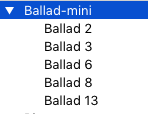
The beats are not numbered unless you renamed them and my screen shot shows you have the correct amount of beats and beat names.
If you have not read the BBM user manual or quick start guide, you might want to do so to help you learn more about the BBM. You can find some helpful information by clicking on the hyper-link in blue font: resources