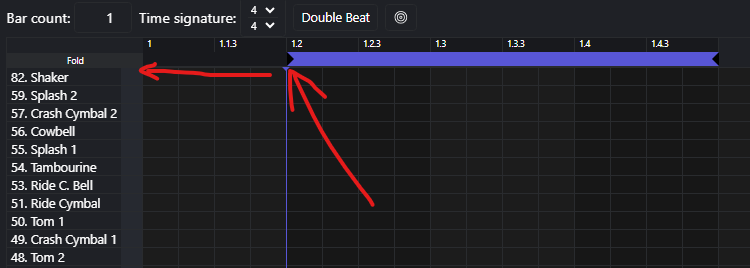
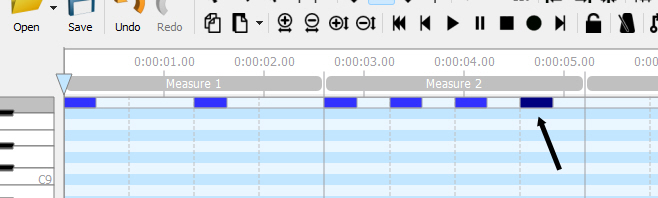
I have a problem I can’t solve. I created a count-in and inserted it as an intro to a song. The intro has two bars and goes 1, 2, 1, 2, 3. The first bar contains 1, 2 and the second bar 1, 2, 3. Unfortunately, when I start Beatbuddy, the count-in starts in the second quarter of the first bar. You can also see this on the display; the blue bar starts in the second quarter. I hope my problem is clear. Can anyone give me a tip?
I can’t see what you are saying. The beat might start on the 1, but if that blue bar at the top does not start till after that, that is what governs it.
How about you take a screen shot of it so we can see what you are talking about.
Thank you for reporting this issue! Could you please confirm the firmware version of your BeatBuddy? If you do not have the latest version, you can install it from [here]. If the issue persists even with the latest firmware, let us know and I’ll report the issue to the dev team.