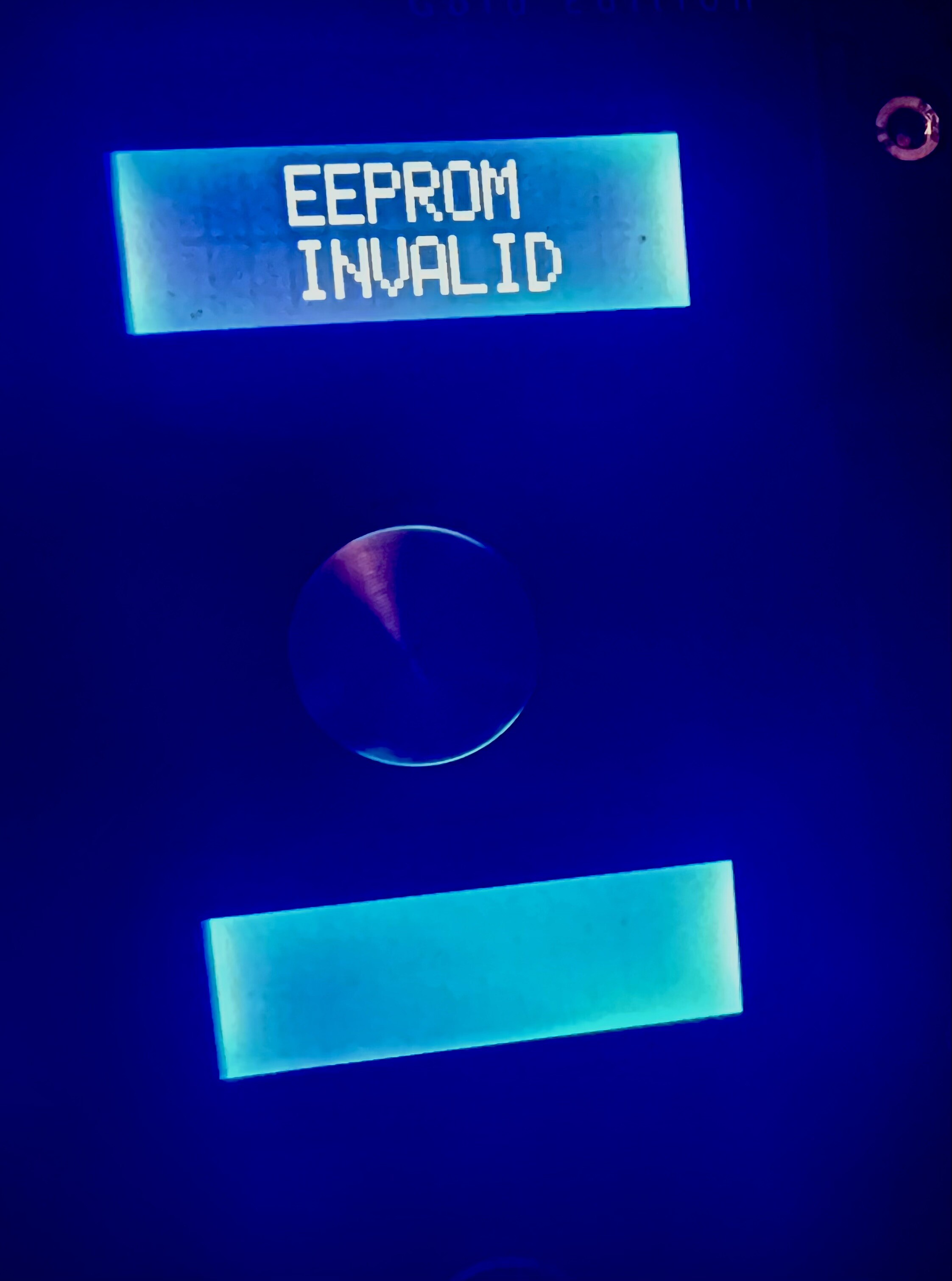
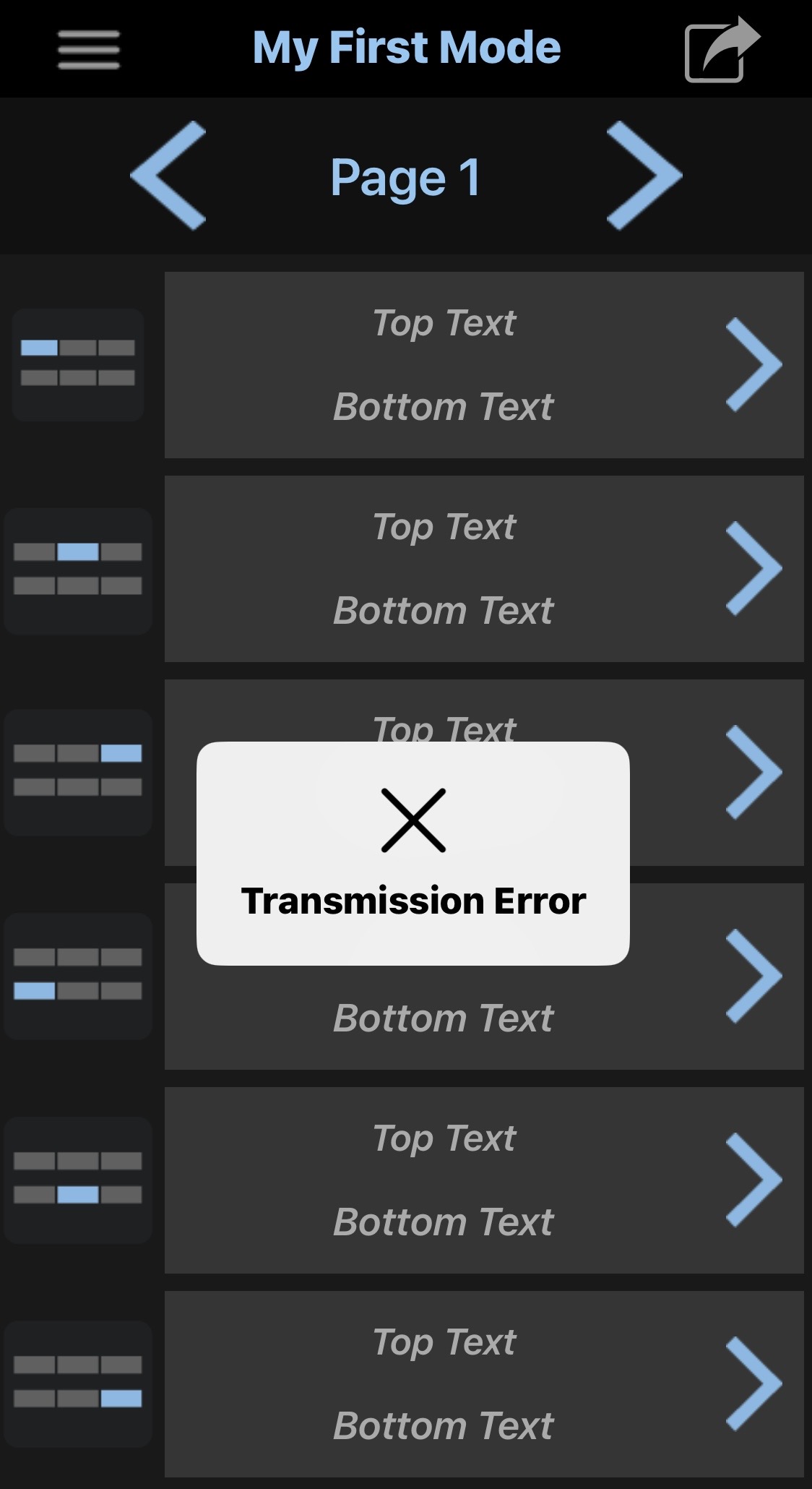
Hi, I tried contacting Singular Sound, but after a full day of no response, I considered reaching out to the forum. The Midi Maestro turned on properly and essentially worked with a AEROS and BB2. when trying to initiate the first firmware update I pressed the pair button the blue light flashed on. I used the Midi Maestro App on the latest Apple iOS Iphone, clicked on update firmware and received a transmission failure notice. Once that happened, I tried multiple times, turning off the Midi Maestro/unplugging it/ turning it back on and retrying firmware update. The top three button panels LEDS show error codes and is pretty much locked that way . I’ve seen others in the forum mention things like this happening, but I hadn’t seen a resolution. Might someone have any advice for me? Also, in privacy settings on the phone Singular Sound MIDI Maestro app is clicked on to allow.
Support answers the email in the order received so don’t fret, you’re in their queue and you’ll get an answer.
As you pointed out this is a known issue and seems to be mostly affecting iOS users using the latest versions of iOS.
If you have an iPhone or iPad with an older version of iOS, give that a try. Or if you have access to an Android phone, try loading the app and giving it a go. Remember to update both the firmware and the default mode. Keep in mind that you will not be able to use the iOS app on your current iPhone to manage commands on your Maestro until either Singular Sound or Apple provide a solution. iOS 26.2 is due to be released soon and as soon as it is, I’ll test sending commands to the Maestro.
If support@singularsound.com provides a solution, please let the forum know what it is
Thank you persist. This is an older iPhone 13 and for what seems like forever. Apple would only give me security updates in the 18. iOS Versions. I had a huge issue where all of my high quality five pin midi cables would fit the AEROS and the BB1 and BB2 but none of them would fit the Midi Maestro. I finally found a quality midi cable to fit, and I thought….. finally… lol. Misfortune would have it that the day before I got the new midi cable, Apple updated my phone to version 26.1.  . Sometimes life happens this way.
  lol. Thank you again for reaching out and for all your help. I will keep the forum informed.
A small update: the newer Apple iOS didn’t work, but I did have an older iPad and upload the app to that. It did connect to the MIDI Maestro and The error codes went away, and the screen went, back to what it looked like before. Relieved:thinking: that the problem had been resolved. But then I am reminded that “it’s me” and nothing‘s that easy. That iPad iOS only goes up to 12.5.7 and the update that the Midi Maestro received is V1.1.7 and I already think I know “persist”, what you’re about to tell me. This version of the Midi Maestro app is too old. And I need a device not too old and not too new. Asking everyone I know if they have an Android phone only to find out that the only robots I know are Apple robots.
I just tested firmware and default modes updates using iOS 26.2RC. I also successfully uploaded a custom command.
When iOS 26.2 gets officially released (probably next week), update your iPhone and then try again with the Maestro. Hope it works for you.
If that still doesn’t work, toggle the iPhone Settings - Security and Privacy - Bluetooth - Singular Sound MIDI Maestro off and then back on. Power cycle the Maestro and try to update the firmware again. When done, power cycle again and update the Default Modes. When done your phone may go to sleep but the Maestro blue pairing light might remain solid; if so, power cycle the Maestro and when it comes back on, open your phone and the app should display 100% Finished.
Let us know how it turns out for you.
Ok, thank you. I tried all of what you had mentioned last night including uninstalling and reinstalling the midi Maestro app. The actual midi maestro will shake hands with the app for a second but the phone quickly says;” not interested”. Transmission error. I will hang in there till the 26.2 update. As I mentioned before this phone for the longest time wouldn’t update past iOS 18…. only updating security. I was surprised when it actually updated to 26.1. The new operating system looks really nice but when it comes to functioning on an older iPhone 13, it doesn’t really work that well. hopefully 26.2 will fix a whole lotta bugs I am noticing. Thanks again. I will update this post of any developments.
Thanks for the quick response. I just updated my iPhone to iOS 26.2 and tried again with my MIDI Maestro and it still doesn’t work.
I toggled the Singular Sound app’s Bluetooth permissions off and on again several times as well as turning the MIDI Maestro off and on a few times, but nothing really moved the needle. Whenever I try to send a firmware update or send patches, the status will get to 1% and then say “Transmission Error”. (I tried adding links or images of the issue but the forum doesn’t allow links or images in posts)
I was able to connect to the unit using the Light Blue app by Punch Through to test the BLE connectivity. What does your dev team use to test/build against locally? It seems like there has to be a third party app that we can use to send Bluetooth messages with in the meantime. Something like Postman, but for BLE?
Thank you for sharing your thoughts.
Have no idea why I was able to successfully update the first time with iOS 26.2b2. I tested again with iOS 26.2RC on my iPhone and iPad and it failed. EEPROM INVALID was displayed in the top 3 display windows (have no idea if this is significant but it usually only displayed in the top 2 windows). .
Used an Android phone and it connected and displayed that the firmware was already up to date. Updated the Default Modes and it successfully restored the MAESTRO.
I used Apple Feedback to share the message that Brennan posted. Have not tested it again after iOS 26.2 was officially released.
Grr. Same here, still shows Transmission failure 
Plus in thinking about it even if I use someone else’s android phone to update the firmware I’m guessing it still wouldn’t work with my I phone and the app afterwards to do any customization.
Also, is it too impossible for Singular Sound to create a program much like the beat buddy online manager for the midi maestro so we can access all the needed midi maestro functions online?
It would seem that that would fix the problem with update ability with all the Apple future updates and sensitivities. Much like how I assumed the beat buddy online manager was created to correct.
If I have to contact Apple and tell them about this issue, could anyone give me a template description of the actual problem? I need them to fix. Something that is specific and precise to the problem we are experiencing.so we can copy that to send to Apple.
Fill out New Feedback message in the Apple Feedback app. Use Brennan’s suggested wording from this post.
https://forum.singularsound.com/t/midi-maestro-ios-26-beta-2-connectivity-issue/40210/17
I’m attempting to update the firmware and reinstall the default modes on my MM using the mobile app but I keep getting a Transmission Error message. I’m running IOS 26 Beta 2 for iPhone.
As an alternative, I was able to update the MM from my iPad which is still running iPadOS 18.5.
Has anyone else experienced this issue with the beta version of IOS 26?
Hi Keith,
I’ve sent you an answer via email.
I’m also having this same Issue in addition to having EEPROM INVALID displayed.
For the time being I’m completely unable to use the MM
Yes that’s what happened to mine. I was lucky bc I still had iOS 18.x running on my iPad so I was able to reinstall the firmware using that. I got it working again and haven’t tried to reconnect with iOS 26 even tho it’s now on version 5. It was version 2 that wouldn’t connect for me.
Please send an email with the details to support@singularsound.com, thank you.
I had exactly the same issue. Unfortunately. I updated my phone and iPad and apple won’t allow us to rolll back. I used my daughters ipad to get the firmware and default mode updated which sorted the eeprom issue but would be great to get the full functionality on my own devices. I’ll send an email to support.’thanks..
I had this issue crop up on the iOS release, which wasn’t a beta. I ended up borrowing my kid’s iPad, which still runs the older iOS, to update my Midi Maestro. I’m sure Singular Sound will update the app to work soon.
Hi, Just wondering if there’s any update from SS on this ? I assume this issue will grow as more people update to ios 26. I’m enjoying the unit but not getting the full value out it as I can’t play around with the custom mode. Even a heads up and confimration that it’s being investigated would be much appreciated. Thanks.