Suggestion: When Editing MIDI Notes, the Display Jumps Downwards

Suggestion is to clarify use of the Fold button on p15 of the BBMO user manual with words to the effect: “Use Unfold view when transposing notes so that the screen displays properly.”

macOS 26.2
BBMO 2.0.4 using Vivaldi for an OPB song
Notes are in Fold mode

Steps to reproduce :

  • Open an OPB song in BBMO 2.0.4
  • Click Fold button
  • Use the Quick select instrument to highlight all of the notes in the row for an instrument
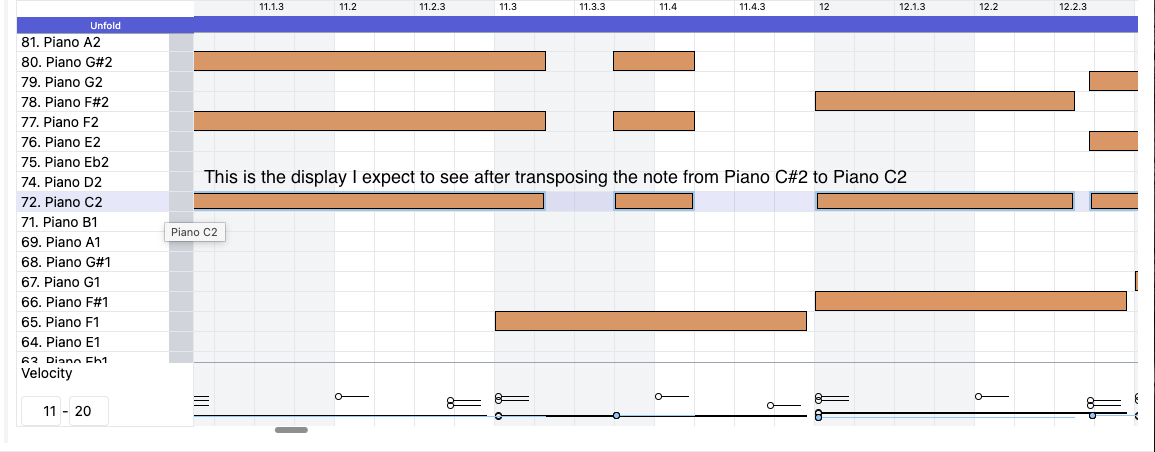
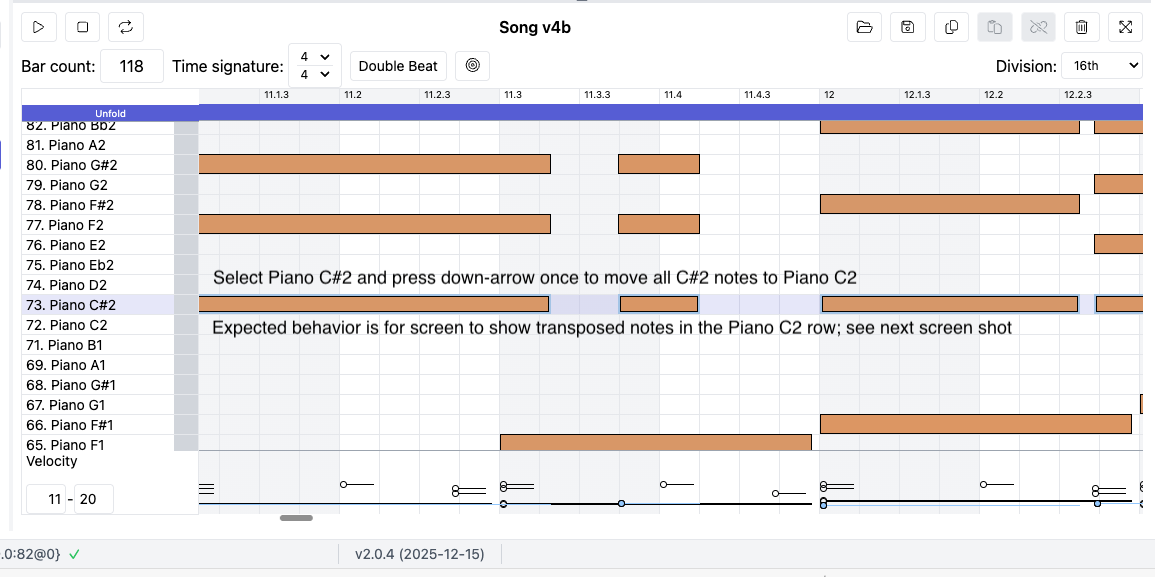
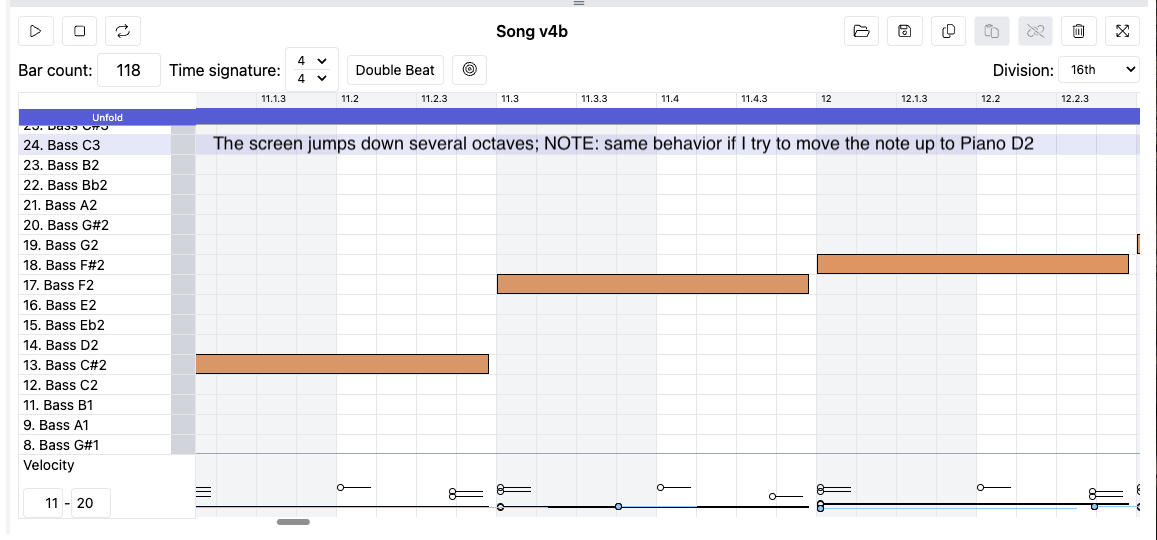
  • Move the note down or up (one semi-tone); expected behavior is for the display to show the transposed notes in it’s new position; instead the screen jumps downwards several octaves
  • I’ve labeled this an anomaly as this does not happen when the view is Unfolded

1 Like

Thank you for reporting this! I’ve forwarded it to the team for troubleshooting.

Hey @persist, could you tell me where these song files were generated? Did they ever get entered into the BBMO at any point?

Let us know, thanks

These are songs I generated in the BBMO.

Do you recall what version you used?

Were they made in 2.0.4?

Don’t remember other than that I tested in 2.0.4

Last question, do you recall if when you made these songs the autopilot was enabled? Or if you at some point enabled it, made edits and then disabled it?
Let me know!

Autopilot was not enabled nor was it previously enabled.

I use separate projects for BB1 and for BB2.

1 Like

This is also happening to me, only started using BBOM with BB2 last week so latest version. Very tedious

A post was merged into an existing topic: Official MIDI Maestro Fix For iOS 26

The issue has been fixed in BBMO update version 2.0.8, so it should now work as expected.

Read more here:

Thank you for reporting

1 Like