Hi, I have a new Beatbuddy 2 and when in the latest version (1.6.5) of BB Manager, I go to “Open File” and select the the drive that the BB2 SD card is in, I get a parsing error for each and every song on the card (well, it would be every song, if I didn’t have to ctrl+alt+Delete and End Task)
If I try to load the SD card on the BB2 after having received these errors, those songs that received the error are unplayable.
I have tried renistalling the default content to see if that helps and also uninstalled and renistalled the latest BB Manager but I still get the parsing errors every time.
This didn’t happen with my beatbuddy 1 SD card. Only been an issue with the BB2 SD.
I have searched the forum but can’t seem to find any explanation.
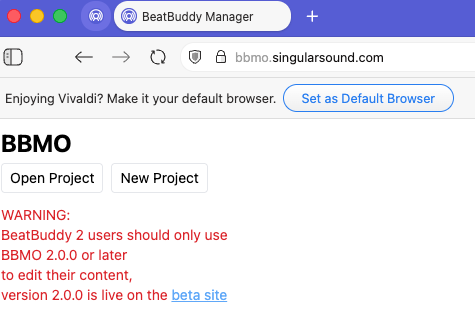
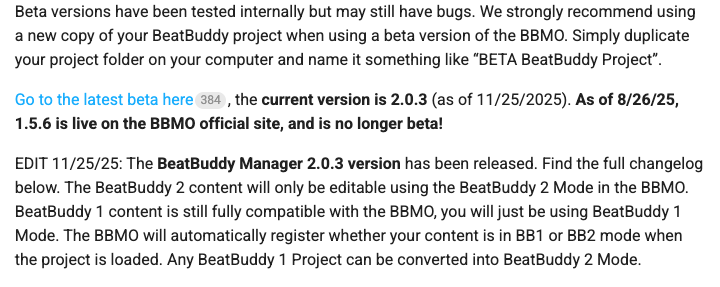
In order to manage the BB2 content, you must use BBMO 2.0.3b on a Chromium-based browser (Google Chrome, MS Edge, Vivaldi, Dia or Opera). Why? The new content is not backwards compatible with either the BeatBuddy Manager (BBM) or BBMO 1.5.6.
This is a screen shot from the BBMO 1.5.6 browser with an explicit warning
Rather than try to open and manage your project from the SD card, you might want to download and unzip the latest BB2 content to your computer and use the BBMO 2.0.3b to manage your content on your computer.
You might be asking “will the BeatBuddy Manager (BBM) 1.6.5 be updated to work with BB2 content?” and the answer would be “no.” Although still available from Singular Sound, there is no longer any official support or development for the BBM Legacy.