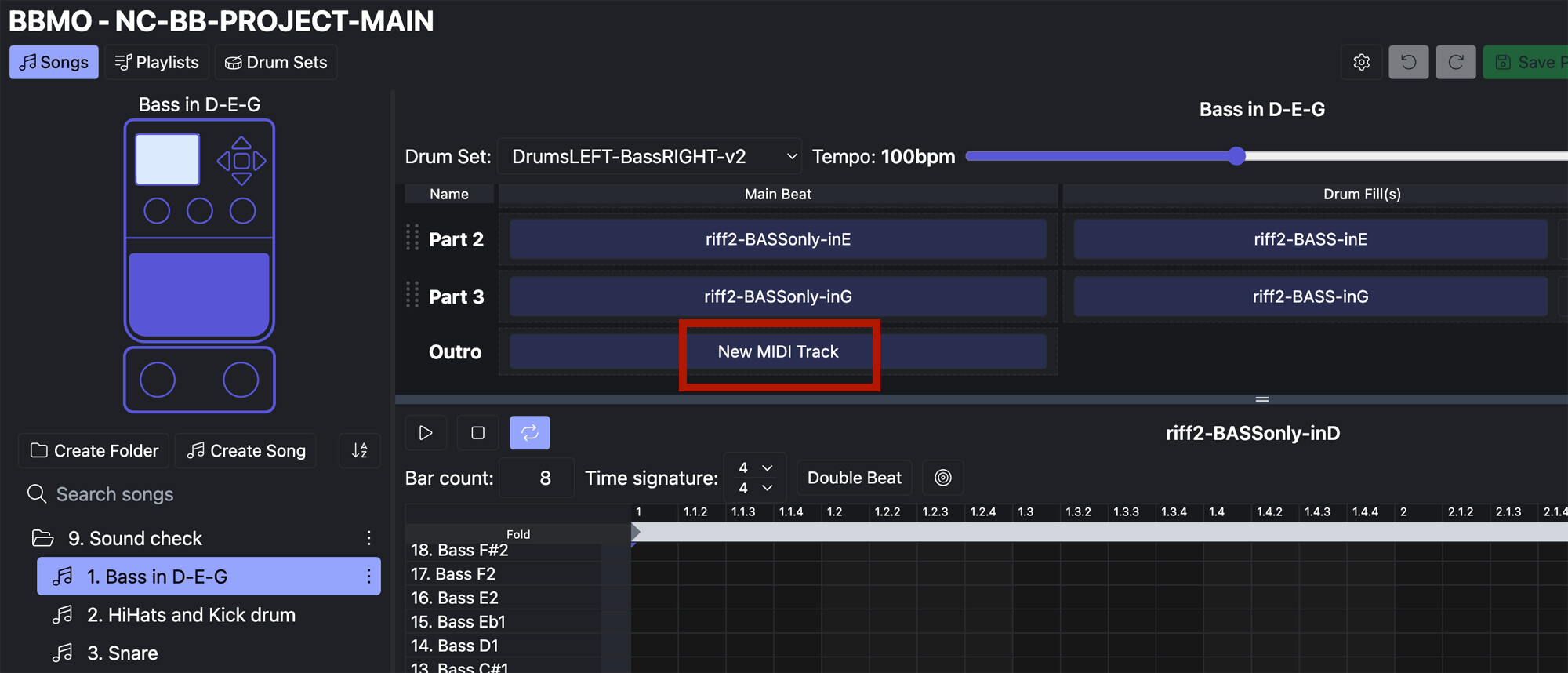
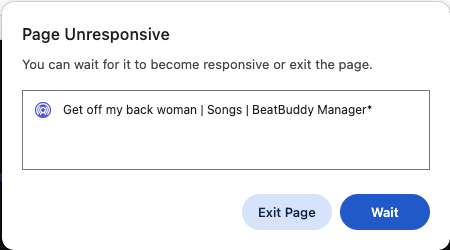
Attention all BeatBuddy Manager Online (BBMO) users, we are going to start releasing new BBMO versions as betas before they are officially on the website!
Beta versions have been tested internally but may still have bugs. We strongly recommend using a new copy of your BeatBuddy project when using a beta version of the BBMO. Simply duplicate your project folder on your computer and name it something like “BETA BeatBuddy Project”.
Go to the latest beta here, the current version is 2.0.8 (as of 3/27/2026). Find the full beta changelog below.
v2.0.8 was made official and pushed to the live BBMO site on 3/31/26.
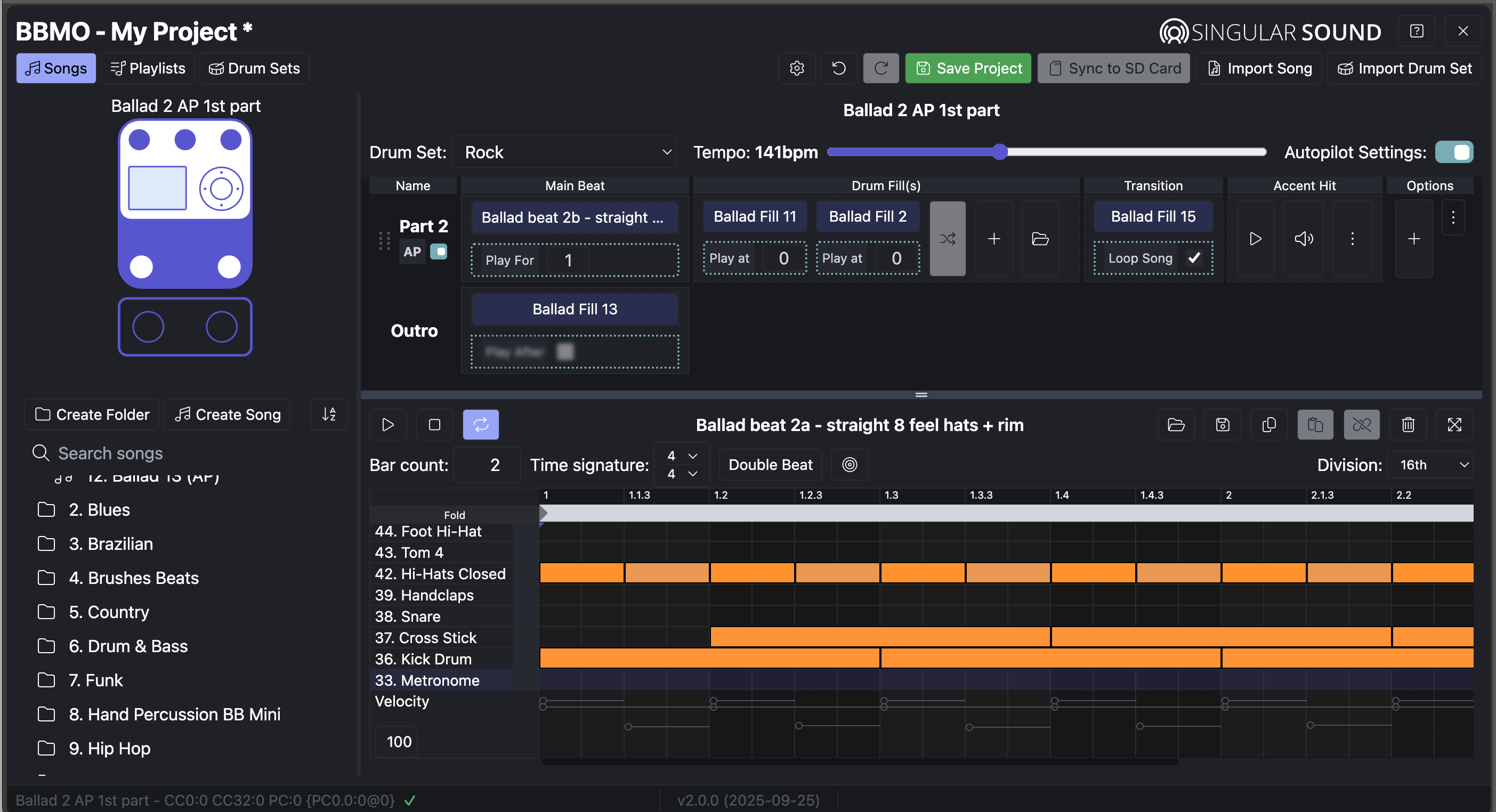
The BeatBuddy 2 content will only be editable using the BeatBuddy 2 Mode in the BBMO. BeatBuddy 1 content is still fully compatible with the BBMO, you will just be using BeatBuddy 1 Mode. The BBMO will automatically register whether your content is in BB1 or BB2 mode when the project is loaded. Any BeatBuddy 1 Project can be converted into BeatBuddy 2 Mode.
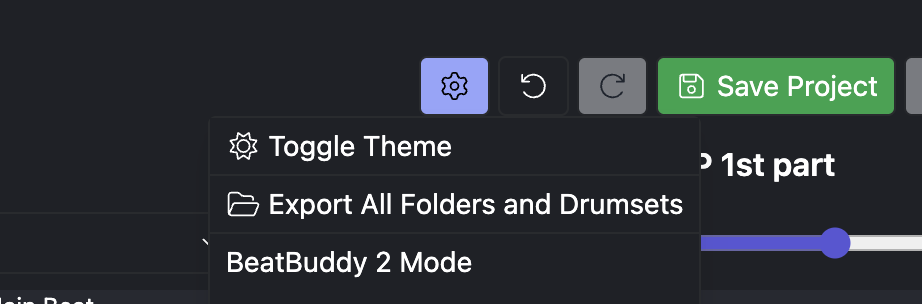
To convert your project to BeatBuddy 2 mode:
- First, open your existing BeatBuddy project on the BeatBuddy Manager Online
- Then, hit the gear icon in the top of the screen, choose BeatBuddy 1 Mode - Convert to BB2
- The application will ask you to choose a location to save a backup of your current project for safekeeping, choose a location
- All set, welcome to BeatBuddy Manager Online v2.0!
The Project in your BeatBuddy 2 SD card does not have to be converted, it will open it as a BeatBuddy 2 project as long as you are using BBMO version 2.0.0 or later
There are various fixes and general improvements for all BeatBuddy product users, and we will continue to refine the BBMO for all users.
An updated BeatBuddy Manager Online Manual will be available soon!
As of BBMO v1.5.6, you should only use the BeatBuddy 1 on v4.1.7 or later or any BeatBuddy 2 Firmware
Explanation of changes to BBMO since 1.5.6:
The BeatBuddy Manager Legacy uses a proprietary feature that allows “negative ticks”.
MIDI Ticks are positions in the MIDI file. There are hundreds of ticks in every measure of a MIDI File. Using Negative Ticks on the BeatBuddy Manager allowed a user to have special partial measure behaviors on the BeatBuddy. However, the BBMO was built very differently. Now we have a MIDI File Start Point to set where playback should begin for files, and we don’t make use of negative ticks.
Read more about the MIDI File Start Point in the BeatBuddy Manager Online Manual
This necessary change to the BBMO required a change to how the BeatBuddy works, it will now regard files with a partial measure + a full measure as it always did when creating content using the BeatBuddy Manager Legacy.
As far as we know, this only affects content included in our default content, and most users did not make content using negative ticks. We strongly believe the BBMO’s MIDI File Start Point behavior is overall a great improvement for customers to make their own content easily and effectively.
Version 4.1.7 on the BeatBuddy regards the BBMO’s partial measures the same way that it regarded negative ticks before.
How to fix issues with content:
-
The BeatBuddy must be on v.4.1.7 for the content to work correctly.
-
Duplicate a saved backup copy of your content (as made on the BeatBuddy Manager). Call it something like “BETA BeatBuddy Project”.
- If you have already loaded your content onto the BeatBuddy Manager Online, these small snippets have been cut off and/or caused silent playback on some files. You will need to start with a fresh file.
- Read more about the silent playback issue in this forum thread
- You can also use the v2.1 Default Content file on our website to test it
- If you have used the BBMO v1.5.5 to load content, it will have incorrect start points for many files, and that project can be discarded.
- If you have already loaded your content onto the BeatBuddy Manager Online, these small snippets have been cut off and/or caused silent playback on some files. You will need to start with a fresh file.
-
Go to BBMO Beta website
-
Click Load Project button and open your “BETA BeatBuddy Project” folder file
-
Make any minor change like renaming a folder or file or even your entire project
-
Hit Save
-
The issues will no longer be present on the BeatBuddy in playback when written to the SD card.
- If you already had content loaded by BBMO v1.5.5 on your BeatBuddy, just Delete the SONGS folder inside your SD card using your computer. Syncing the project from the BBMO again will create the missing SONGS folder with the updated content
Find out more about the official BeatBuddy Manager Online here:
Please reserve this thread for questions about the beta process and any beta-relevant information, issues should be reported in the BeatBuddy Manager Online help and questions category, please make sure to use the full version name when reporting. The version number can be found in the footer of the BBMO site.

If you need more information on making a bug report, read more here:
Beta Changelog
2.0.8 (3/27/26)
- Fixed issue where BBMO .sngs made in BB1 mode were carrying Autopilot infomation
- Made filesystem permissions refresh when tab is idle and open too long to avoid disconnection
2.0.7 (3/13/26)
- Fixed issue where stopping playback of a MIDI file with the Space bar would reset the playback start point. Now, the playback point will only reset when the Stop button is clicked.
- Improved lagging of BBMO by reducing logging
2.0.6 (2/25/26)
- Songs that do not have existing autopilot value will now automatically set AP data when Autopilot is enabled. This is useful because newly made Autopilot songs will now have all individual parts enabled for AP, and the Autopilot values (play for, play at) will be set automatically. This prevents needing to do so manually and will save you some time.
- Added the function to export all song folders as PBFs to the “Export All Drums and Folders” button, which was renamed as “Export All BB Files”
Bug Fixes
- Fixed an issue where importing multiple songs in a short amount of time could occasionally cause BBMO to freeze
- Fixed an issue with certain OPB songs failing to import into the BBMO
- Fixed an issue where an autopilot song that loops would occasionally play the transition twice in the virtual pedal when the song started over
- Fixed an issue where a song with a non-4/4 time signature would behave as if it had a different number of bars.
- Fixed an intermittent issue where copying notes in the midi editor would then paste extra notes compared to what was originally copied
- Fixed an issue where if highlighting notes in one MIDI file and then opening a new MIDI file and selecting more notes, then making changes would affect the notes in both MIDI Files. Now, if a song file in the MIDI editor has notes selected and a new MIDI file is opened, then the original notes are deselected.
- Fixed an issue where converting a BB1 project to BB2 and refreshing without saving would cause the project to revert to BB1
- Implemented custom popups for converting a BB1 project to BB2 to avoid certain Chrome errors
- Added dark mode styling to the “Too many samples” pop-up
- Fixed notes in the MIDI editor “jumping” several octaves when moving notes up or down while the editor is folded
- Fixed an issue with exporting folders that have a slash in their name. This is problematic because having a slash is not allowed in conventional filenames on a computer. Now, they will export with an underscore replacing the slash, but will reimport with the slash.
- Improved the specificity of logging (logs include the name of the drum, song, or file that caused an error)
- Fixed issue where duplicating an HD drum set would result in a non-HD duplicate
- Reverted restriction on HD drum sets sharing the same name. Now two HD drum sets can share a name, which is the same behavior as non-HD kits.
- Made sync to SD card more space efficient (no longer requires backup swap files, allowing less space to be needed on your drive to have a successful sync)
- Fixed cases where mouse scrolling over certain number inputs (play for, play at, etc) could cause those numbers to change
- Fixed audio issues where the paused state would “stick” if not manually unpaused, which would make a song would play back silently when using the virtual pedal
- Added a changelog link and version number to the start screen
- Fixed cases of inputting non-numbers into certain number inputs (play for, play at, bar count, etc) which would corrupt the song file
- Fixed audio issues in the virtual pedal for single-part autopilot songs
- Fixed text coloring in light mode when opening playlist 3-dot dropdown menu for a selected song
- Capitalized text in drum set editor (Fill Choke Group, Choke Group, and Fill Choke Delay)
2.0.5 (1/6/25)
- Re-enabled changing the tempo of a song during playback for non-autopilot songs
2.0.4 (12/9/25)
- Added a 3rd party cookies pop-up
2.0.3 (11/25/25)
- Fixed issue with Default Drum Set dropdown list showing as transparent in light more
2.0.2 (11/21/25)
- Brought back the Bar Count field in the MIDI Editor for fill files
- Fixed the error pop-up on entering the project
- Fixed issues scrolling in the MIDI editor
- Fixed issues importing files in various non-4/4 time signatures
- Fixed playback starting in the wrong place if you click on the grid to place a start point for playback in the MIDI editor window
- Fixed issues with deleting the currently open drum or drum folder
- Fixed an issue with the virtual BeatBuddy where the last part’s transition would not wait until the end of the measure to complete the transition during playback on the BBMO
- Fixed the issue in the virtual player where the transition would loop indefinitely
- Fixed the issues caused by importing specific songs
- Fixed the issue when adding several blank velocity layers, which corrupted the drum set
- Fixed playlist numbering when some are deleted and added on the BeatBuddy 1 or 2 (only ever have playlists 1-17)
- Fixed error reporting in drum set - now shows all errors instead of just the first error in the list
- Required a double click for editing the project name
- Allowed nested folders in the song editor’s drum set dropdown to support Drum Folders
- Set fill choke delay to be set to 1/8 note by default when adding an instrument to a choke fill group for the first time
- We now display the official icon next to official Singular Sound drum sets, these drum sets are designated internally and cannot be set by customers or third parties
- Implemented a new start page design
- Implemented a unified login system, login via your singularsound.com account
- Made the selection box range’s outline in the MIDI editor more easily visible in dark mode
- Allowed symbols (such as !#@&$><~*^%±().':;/) in the text fields on bbmo (such as song name, folder name, playlist name, drum set name, etc)
- Allowed symbols common in other languages (e.g. áéíóú, ñ, ü, etc)
- Fixed an issue where a note would choke itself in the virtual player
- Fixed crash on BBMO when certain bad files are imported
- Increased logging in case of errors
- Fixed an issue where MIDI notes would disappear after moving them in certain cases
- Fixed issues with searching for a song and moving it within the filtered search results
- Fixed an issue with new blank songs where the tempo would reset to the default 120bpm if you first changed the tempo, then created/imported a MIDI file in an empty slot
- Fixed an issue where a part with no transition file would visually display a transition on the virtual BeatBuddy before each fill in autopilot in the BBMO
2.0.1 (9/30/25)
- Fixed issues where the HD label would not show for HD drums and improved compatibility with BeatBuddy 2
2.0.0 (9/25/25)
- Implemented BeatBuddy 1 and BeatBuddy 2 project modes
- Added conversion feature to convert BeatBuddy 1 projects to BeatBuddy 2 projects
- Implemented Autopilot (in BeatBuddy 2 mode)
- Added support for HD drum sets (in BeatBuddy 2 mode)
- Allowed 32 samples per instrument in HD drumsets (.DRMX), non-HD drum sets (.DRM) are limited to 16 samples per instrument
- Made improvements to the error message in the project footer
- Made the purple playback point reset to the beginning when the track is stopped using the MIDI editor’s Stop button
- Implemented drum folders (in BeatBuddy 2 mode, for organizing drums into folders on BeatBuddy 2)
- Created and added support for Drum Set Folder files (.PBDF). These files can be imported to import a drum set folder the drum sets inside the folder.
- Improved cleaning of unused files on save
- Improved UI and MIDI editor scrolling experience
- Made speed improvements on saving the project, exporting, and converting
- Limited fills to being one bar only. For a multiple-bar fill, use multiple single-bar fills in a row
- Improved conflicts between the browsers undo/redo functionality, and BBMO’s undo/redo functionality
- Changed default choke fill delay from 1/4 to 1/8 (more commonly used)
- Updated terms of service and now requires ‘Agree’ checkbox to be ticked before using BBMO
- Allowed duplicating a drum set with empty instruments, to more easily make multiple drum sets from an empty template. Note, you cannot save a project if an instrument is empty
- Before, the instruments without samples would get deleted when you copied a drum set.
- Now you can set up all the instruments, then make copies to have different drum sets using different samples, without having to re-add all the empty instruments again
Bug Fixes
- Fixed freeze when importing a corrupted song
- Fixed an issue where songs could have more than 32 parts, which is the maximum number of song parts
- Fixed bug where you could rename a song from the playlists screen
- Fixed an issue where the MIDI editor would appear blank and be scrolled out of view
- Fixed issue where drums would not show on the BeatBuddy 1 or 2 in the order they were saved in the BBMO
- Fixed issues with the three-dot pop-up menus
- Fixed errors when importing samples (only 16 samples per instrument are allowed in for a regular drum set (.drm), 32 samples in total for HD)
- Fixed bug where you could bypass the sample limit by dragging and dropping multiple at once
- Fixed bug where exporting a song with a new name would also rename it in the project
- Fixed the MIDI editor incorrectly folding when adding the first note to a track of a newly created blank MIDI file
- Fixed the issue where exporting a song folder with a newly edited name would cause a crash
- Fixed the issue where changing the velocity of a group of MIDI notes would cause a divide by 0 error (for non-nerds, dividing by 0 is not possible, in math, this is considered “undefined”)
- Fixed the issue where the screen kept scrolling if you deleted the currently open MIDI file
- Fixed alignment of the beat grid in triplet subdivisions
- Disabled changing tempo while the song is playing since it caused too many edge cases and bugs
- Fixed issues where copying/pasting midi notes would paste unintended MIDI notes
- Fixed the issue where if a song was imported into a project without its intended default drum set, the default would be set. Now, the standard kit is automatically set as the default drum set in this case.
- Fixed the issue where editing the project name to be shorter wouldn’t actually rename the project file
- Fixed the issue where, when creating a new instrument in a drum set that already uses most of the possible General MIDI instruments, the instrument list wouldn’t adjust size
- Fixed the issue where double-clicking to add a MIDI note in a blank space of the MIDI editor grid would occasionally not work
- Removed the unnecessary number next to the choke fill delay setting (UI glitch)
1.5.6
- Improvements and fixes to content made using the BeatBuddy Manager Legacy edition on the BeatBuddy Manager Online
- Pre-existing projects will import song part files to start at the correct time if there is empty space at the beginning of a measure, the MIDI File Start Point will set automatically
- Short partial measures that used negative MIDI tick values in the BeatBuddy Manager legacy were being ignored by the BBMO in v1.5.4, and were being positioned incorrectly in v1.5.5, v1.5.6 is importing these files correctly
- Songs playing back files silently on the BeatBuddy after editing and duplicating the file have been fixed
- Filename management improvements
- Exporting a BeatBuddy song with new name will not change the name of the song in your project
- MIDI file imports will be named in your project using the name you see in your file explorer, not their original name when created by a/your DAW (if it was edited)
- Playlist numbering issues fixed
1.5.5
- Fixed issue with files in BeatBuddy playing back silently when edited in the BBMO and loaded on the BeatBuddy. This was caused by songs that had “negative ticks” in the BeatBuddy Manager Legacy that were then imported and edited in the BBMO. Reimport unaltered content with this version to fix the issue. Note that this will not fix any content that was corrupted originally.
- Improved error logging capabilities
- Added a cancel button to build an accent pop-up dialog
- Fixed velocity dynamic range values incorrectly overlapping in drum editor
- Fixed MIDI file exporting so it doesn’t also rename the MIDI file in the BBMO on export
- Fixed renaming for folders and drumsets
- Added feature to remove empty measures at the start of an imported MIDI file. This is particularly useful if you use Logic Pro to create your MIDI files.
- Changed alphabetization feature to ignore “an”, “the”, and “a” when sorting drums or songs
- Fixed issues with resizing MIDI notes, leaving the song, and loading it again
- Fixed MIDI editor grid numbering, sizing, and shading for triplet divisions
- Added a check that each song has a main beat in existing parts before allowing saving
- Made velocity inputs safer, reset velocity if a number isn’t entered
- Fixes to UI, spelling, and spacing (mobile background got cut off, and error message became two lines)